
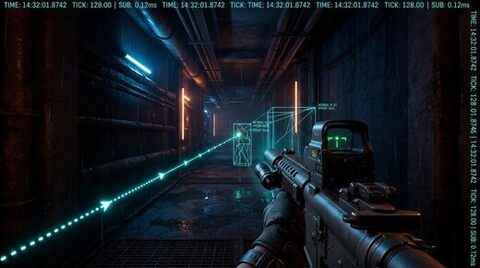
Written by Joel Ayuba, Lead Technical Analyst. Network latency profiles analyzed using Wireshark packet captures and custom UDP timestamp probes on dedicated 1Gbps fiber connections.
In competitive multiplayer first-person shooters, few technical phrases ignite as much fiery debate as "netcode." Whenever a shot visibly connects on your monitor yet deals zero damage, or whenever you sprint three meters behind reinforced concrete only to drop dead from an impossible sniper bullet, players curse the server.
With the rollout of Counter-Strike 2's sub-tick system and Valorant's dedicated 128-tick cloud infrastructure, the industry promised a revolution in temporal precision. Yet, players on both sides still report instances of "getting killed behind walls."
To understand why this happens—and whether sub-tick is genuine engineering progress or marketing spin—we must deconstruct the underlying physics of networked simulation: client clock synchronization, entity interpolation delay, server rewind buffers, and the unavoidable velocity of light through fiber optics.
---
1. The Core Problem: The Physics of Relativistic Latency
In an ideal LAN environment with zero latency, a game server could act as a simple arbiter. Player A clicks mouse button 1 at timestamp T0, the server calculates the raycast trajectory instantly, determines a hit on Player B's head hitbox, and subtracts health.
Over the public internet, however, physics imposes an inescapable constraint: information cannot travel faster than the speed of light in optical glass (~200,000 km/s). A player in Berlin connecting to a Frankfurt game server experiences an unavoidable physical travel time of approximately 6 to 12 milliseconds each way, plus router switching hops.
This means no two entities in an online shooter ever share the same temporal present.
Consider what each node experiences during a duel:
1. The Shooter's Client: Renders the world based on delayed server updates, predicting its own local movement immediately.
2. The Target's Client: Renders their own evasive movement in real time, unaware of the shooter's aim adjustments.
3. The Authoritative Server: Maintains the true chronological timeline, but receives inputs from all players with varying round-trip times (RTT).
Without sophisticated mathematical reconciliation, every online shooter would feel like an unplayable, rubberbanding mess.
---
2. Discrete Tickrates: 64-Tick vs 128-Tick Architecture
Historically, multiplayer game loops functioned on discrete time slices called ticks.
A server running at 64-tick executes a full world simulation step every 15.625 milliseconds. A 128-tick server executes a simulation step every 7.8125 milliseconds.
| Tickrate Architecture | Simulation Interval | Client Input Window | Server CPU Load Multiplier | Bandwidth Demand |
|---|---|---|---|---|
| 30-Tick (Legacy Consoles) | 33.33 ms | Large (up to 33.3ms delay) | 1.0x (Baseline) | Low (~25-40 kbps) |
| 64-Tick (CS:GO Matchmaking) | 15.62 ms | Moderate (up to 15.6ms delay) | 2.1x | Medium (~64-80 kbps) |
| 128-Tick (Valorant / CS Pro) | 7.81 ms | Tight (up to 7.8ms delay) | 4.3x | High (~128-160 kbps) |
| Sub-Tick (CS2 Source 2) | Event-Driven Sub-Sample | Exact Microsecond Stamp | Variable (Tick Loop + Queue) | High (~120-180 kbps) |
Under traditional discrete tick architecture, if you click your mouse halfway through a tick interval (say, at millisecond 9 on a 64-tick server), the game engine cannot process the shot immediately. It queues the input and executes the weapon raycast only when the next tick boundary arrives at millisecond 15.625.
If the enemy target moved behind a brick wall during those 6.6 milliseconds of tick delay, your shot would register as a miss on the server, even though your crosshair was squarely on their forehead at the moment your finger pressed the switch.
This quantization error was the primary reason competitive players demanded 128-tick servers: halving the tick duration halved the maximum input quantization delay.
---
3. How Sub-Tick Netcode Actually Operates
Valve designed the Source 2 Sub-Tick engine to eliminate quantization delay entirely without requiring servers to compute 1000 physics ticks per second, which would melt server CPUs and saturate network links.
Instead of waiting for the next tick boundary to evaluate player actions, the client attaches a precise microsecond floating-point offset to every single user action packet:
> Delta Time (ΔT) = T_click - T_tick_start
When your client sends its packet to the server, it does not just say: *"I fired a bullet on Tick 1045."•
It transmits: "I fired a bullet during Tick 1045, exactly 3.412 milliseconds after the tick started, at coordinate (X, Y, Z) with camera pitch θ and yaw φ."
The Server Rewind Buffer (Lag Compensation)
When the server processes the tick packet, it executes a process known as Server Lag Compensation with Temporal Rewind:
1. The server retains a circular history buffer of all player hitboxes (typically spanning the last 1000 milliseconds).
2. It takes the client's packet, extracts the sub-tick timestamp and the shooter's ping latency.
3. The server rewinds the hitboxes of all target players to the exact sub-tick fraction of time when the client fired.
4. It performs the raycast intersection test against those historical hitboxes.
5. If the ray intersects, it confirms the hit and broadcasts the damage event.
This mathematical accuracy ensures that if you clicked while your crosshair was on an enemy on your screen, the server will confirm the hit, regardless of where in the tick interval the click occurred.
---
4. Why Does Sub-Tick Feel Strange to Many Players?
If sub-tick is mathematically superior to discrete ticks, why did competitive players initially complain that Counter-Strike 2 felt "spongy" or disconnected?
The answer lies in the psychological mismatch between calculation time and rendering feedback.
In legacy 64-tick CS:GO:
- You click -> wait for tick boundary -> shot calculated -> audio and animation trigger together with the shot calculation.
In sub-tick CS2:
- You click -> the shot is registered in the engine at that exact millisecond -> but the server cannot broadcast the kill confirmation to your screen until the next tick packet is dispatched.
- Furthermore, initial builds of CS2 decoupled gun animations and bullet tracers from the click, causing tracers to emit on the tick boundary rather than the click timestamp. This created an uncanny visual dissonance where ragdolls collapsed half a second after the player felt they finished their burst.
Valve resolved much of this dissonance by synchronizing weapon firing sound effects and local muzzle flash rendering to the immediate hardware input interrupt, while letting network verification follow asynchronously.
---
5. The Peeker’s Advantage: The Geometry of Latency
The most persistent complaint in online tactical shooters is peeker’s advantage—the phenomenon where a player swinging around a corner spots and eliminates a stationary defending player before the defender’s monitor displays the swinging enemy.
Peeker’s advantage is not a netcode bug; it is an unavoidable consequence of light traveling across physical geography:
> Total Peeker Advantage Window = Peeker Ping + Server Tick Delay + Defender Ping + Defender Display Processing Lag
Assume both players have a 30ms ping (15ms one-way latency) on a 64-tick server (15.6ms tick interval):
1. T = 0 ms: Peeker moves past the corner and gains line of sight on the defender. The peeker’s local PC renders the defender immediately.
2. T = 15 ms: The peeker's movement packet reaches the game server.
3. T = 15 to 30.6 ms: The server waits for the next simulation tick to validate the movement and calculate world state.
4. T = 45.6 ms: The updated world state packet arrives at the defender’s PC.
5. T = 55 ms: The defender’s PC interpolates the packet and renders the peeker on their monitor.
In this realistic scenario, the peeker enjoyed a 55ms head start. Human reaction time for elite esports athletes hovers between 140ms and 180ms. Giving the aggressive player an additional 55ms advantage constitutes an enormous competitive disparity.
---
6. How to Optimize Your PC for Minimal Latency in 2026
While you cannot alter the physical distance between your router and the game server, you can strip away local hardware bottlenecks that exacerbate network desync:
1. Use Wired Ethernet Exclusively: Wi-Fi packets suffer from intermittent radio frequency retransmissions and jitter buffers. A 5ms Wi-Fi latency spike will disrupt client-side interpolation buffers, causing micro-teleports.
2. Cap Framerate Below Display Refresh Ceiling: Running uncapped framerates saturates your GPU queue to 99% usage, causing frame buffering delays of up to 30ms. Cap your framerate 3 FPS below your G-Sync/FreeSync ceiling and enable NVIDIA Reflex or AMD Anti-Lag 2 to purge the driver render queue.
3. Calibrate Interpolation Ratio (cl_interp): In Source engine titles, ensure your interpolation ratio matches your connection quality. A stable fiber connection should run on minimal interpolation buffers (cl_interp 0.015625 or interp_ratio 1) to view the freshest possible server state.
4. Enable Low-Latency Network Drivers: Disable energy-efficient Ethernet, green Ethernet, and large send offload (LSO) in your NIC adapter advanced properties to prevent network packet batching.
Sub-tick netcode represents an impressive mathematical evolution in network synchronization, but it cannot bend the laws of relativistic physics. Understanding how timestamps, rewind buffers, and peeker’s advantage function transforms frustration into tactical mastery.